Interactive 3D
Rotate and zoom a fixture to inspect its shape, proportions and design details.
3D & AR lighting visualizer
Proportion, shape and placement matter. Vizbl gives those decisions more context, whether the customer is choosing a pendant over a table or a floor lamp beside a chair.
Capabilities
Rotate and zoom a fixture to inspect its shape, proportions and design details.
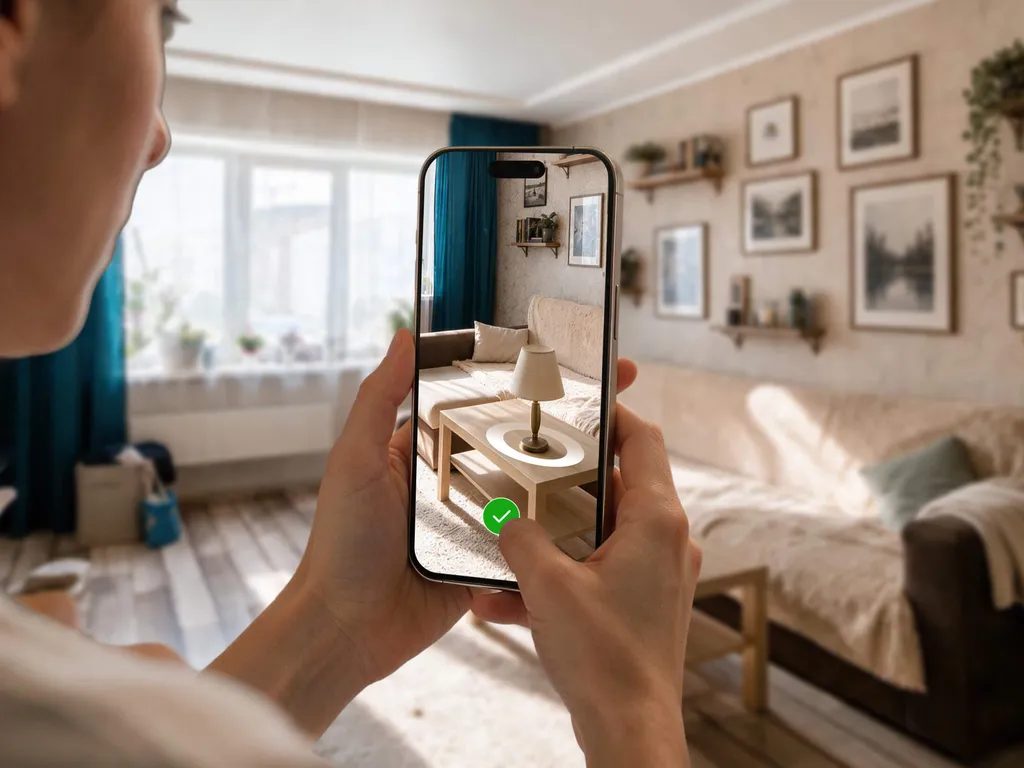
Place the prepared model in a real room to consider its size and position.
Configure placement for pendants, wall lights, floor lamps and fixtures that sit on furniture.
Switch catalog colors, materials and sizes in 3D, then carry the selected variant into AR.
Arrange several fixtures in one room to see how they work together.
Use existing 3D or CAD assets, or have Vizbl prepare models from product references.
Open visualization alongside specifications, finish choices and the normal buying journey.
Open individual fixtures from a printed catalog, display or sales presentation.
Use prepared models across product pages, showroom QR codes and sales presentations. A Multi-AR scene lets buyers consider several fixtures together as they plan the room.
Plan your implementationChoose a focused range with accurate dimensions and product information.
Review CAD or existing models, then prepare materials and geometry for the viewer.
Add the entry point and map every fixture to the correct model and product destination.
Review appearance, scale, placement and device behavior before launch.
Common questions
Yes. Multi-AR supports several fixtures in one scene. Prepare a configured collection so buyers can compare the arrangement in their room.
Vizbl offers 3D modeling services. Share your product photography, dimensions and any available design assets so the team can scope the work.
Yes. Configure the colors, materials and sizes you sell. Shoppers can switch those options in 3D and take the selected variant into AR.
The experience shows fixture appearance, scale and placement. Photometric calculations, beam performance and electrical planning remain part of your technical specification process.
Your collection. Your next step.
Bring the fixtures you want to showcase and any existing 3D or CAD assets. We will map out the product experience and model preparation.
Let’s talk about your catalogA conversation with the Vizbl team.